
Download STEPN Sidekick – Shoe Optimizer & Workout Companion
Overview
STEPN Sidekick is a productivity-focused Android application designed to enhance the experience of users engaged in fitness activities through the STEPN ecosystem. The app serves as a companion tool for STEPN players who aim to optimize their sneaker performance and maximize earnings from physical workouts. By integrating real-time data and customizable alerts, it supports users in tracking their workout efficiency, managing sneaker durability, and monitoring potential rewards. The primary purpose of the software is to streamline the decision-making process during outdoor activities by providing actionable insights based on speed, time, and in-game metrics.
Target users include fitness enthusiasts, casual walkers, runners, and individuals actively participating in the STEPN platform. These users benefit from the app’s ability to track key performance indicators such as speed, HP loss, durability degradation, and mystery box probabilities. The software is especially useful for those who want to maintain a consistent workout routine while simultaneously aiming to improve their in-game rewards. Real-world usage scenarios include daily jogging, walking commutes, or structured fitness sessions where performance tracking and earnings optimization are priorities.
Key Features & Capabilities
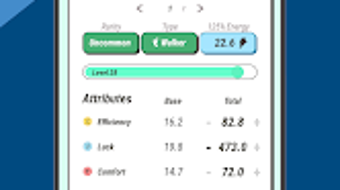
- Shoe Optimizer: Allows users to save up to six different sneakers and analyze their performance metrics, including projected earnings, durability loss, HP loss, and mystery box drop chances.
- Real-Time Price Tracking: Displays current USD value of earnings, enabling users to monitor their financial returns during workouts.
- Speed Alarm: Enables custom speed thresholds; triggers audible alerts or vibrations when the user exceeds or falls below set limits.
- Energy Timer with Voice Updates: Tracks workout duration and provides optional voice feedback on speed and time, helping users stay on pace without constant screen checks.
- Offline Functionality: Operates without requiring a constant internet connection, allowing uninterrupted use during outdoor activities.
These features are particularly valuable during extended walks or runs where maintaining optimal speed is essential for maximizing rewards. The Shoe Optimizer helps users make informed decisions about which sneakers to wear based on predicted outcomes. The Speed Alarm ensures consistent pacing, while the Energy Timer supports endurance management. Voice updates allow for hands-free operation, enhancing safety and convenience during workouts.
User Interface, Workflow & Performance
The user interface of STEPN Sidekick is designed with simplicity and functionality in mind, focusing on quick access to critical metrics. Navigation is straightforward, with a central dashboard displaying real-time data such as current speed, estimated earnings, and timer status. The layout prioritizes readability, using clear icons and minimalistic design elements to reduce cognitive load during physical activity.
Workflow efficiency is enhanced through intuitive controls, allowing users to switch between sneakers, adjust speed thresholds, and activate voice feedback with minimal taps. The app’s responsiveness is consistent with typical Android application behavior, though specific performance metrics such as CPU or RAM usage were not provided by the developer.
Stability appears to be maintained across various usage scenarios, as the app supports offline operation and continues to function without interruption. The developer did not specify resource usage details, but general software behavior suggests efficient background operation. No reported crashes or performance degradation were noted in available documentation.
Compatibility & System Requirements
STEPN Sidekick is compatible with Android operating systems. The app is available in version 1.0.1 and has an installation size of 15.2 MB. This compact footprint indicates efficient resource management and quick deployment on supported devices.
Exact system requirements were not listed. However, given its lightweight nature and focus on real-time tracking, it is likely designed to function on mid-range Android smartphones released within the past few years. The developer did not provide information on minimum processor speed, RAM, or storage requirements.
Platform compatibility information is limited to Android, with no indication of support for iOS or other mobile platforms. Users should ensure their device meets basic Android functionality standards for app installation and operation.
Pros and Cons
Pros
- Free to download and use with no in-app purchases.
- Compact size (15.2 MB) ensures minimal storage impact.
- Real-time earnings tracking in USD improves financial transparency.
- Customizable Speed Alarm enhances workout precision.
- Offline mode allows uninterrupted use during outdoor sessions.
Cons
- Limited to Android platform; no iOS or desktop support.
- Exact system requirements were not specified.
- Relies on STEPN ecosystem; not useful for non-STEPN users.
- May require frequent manual updates to stay aligned with STEPN’s evolving features.
- Voice alerts may be distracting in public or quiet environments.
FAQ Section
Is STEPN Sidekick available for iOS devices?
Currently, the app is only available for Android. There is no official iOS version released as of the latest update.
Does the app require an internet connection to function?
The app supports offline operation for core features like speed tracking and timer functions. However, real-time price data and earnings updates require an active internet connection.
Is STEPN Sidekick safe to use with my STEPN account?
As a third-party companion app, STEPN Sidekick does not access or store user credentials. It operates independently using public data from the STEPN platform. Users are advised to follow standard security practices when using any external tool.
How often does the app receive updates?
Update frequency is not specified by the developer. Users are encouraged to check the app store regularly for the latest version to ensure compatibility with STEPN’s evolving ecosystem.
Can I use STEPN Sidekick without playing STEPN?
No. The app is specifically designed for STEPN users who want to optimize their sneaker performance and earnings. It does not function as a standalone fitness tracker or productivity tool outside the STEPN context.
Final Thoughts
STEPN Sidekick delivers a focused and practical solution for individuals deeply involved in the STEPN platform. Its combination of performance tracking, earnings optimization, and customizable alerts makes it a valuable addition to any STEPN player’s toolkit. The app’s lightweight design, free access, and offline capabilities enhance usability during extended workouts. While it is limited to Android and dependent on the STEPN ecosystem, its targeted functionality sets it apart from generic fitness apps.
For fitness enthusiasts and STEPN players aiming to maximize their sneaker earnings through disciplined pacing and strategic shoe selection, this tool offers tangible benefits. Its intuitive interface and real-time insights support better decision-making without overwhelming the user. Despite minor limitations in platform availability and system transparency, the overall experience remains positive and purpose-driven.
Download STEPN Sidekick now







